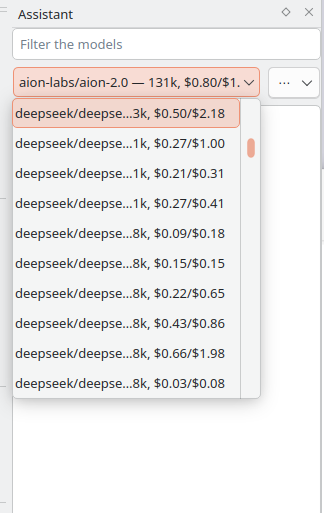
Getting started with AI Assistant
The easiest way to get an AI assistant into Symbolical is to create an account at OpenRouter, and get an API Key there. You then copy this key and insert it into Symbolical.
Once you have the key op go to the “View” dropdown menu and activate the Assistant dock.
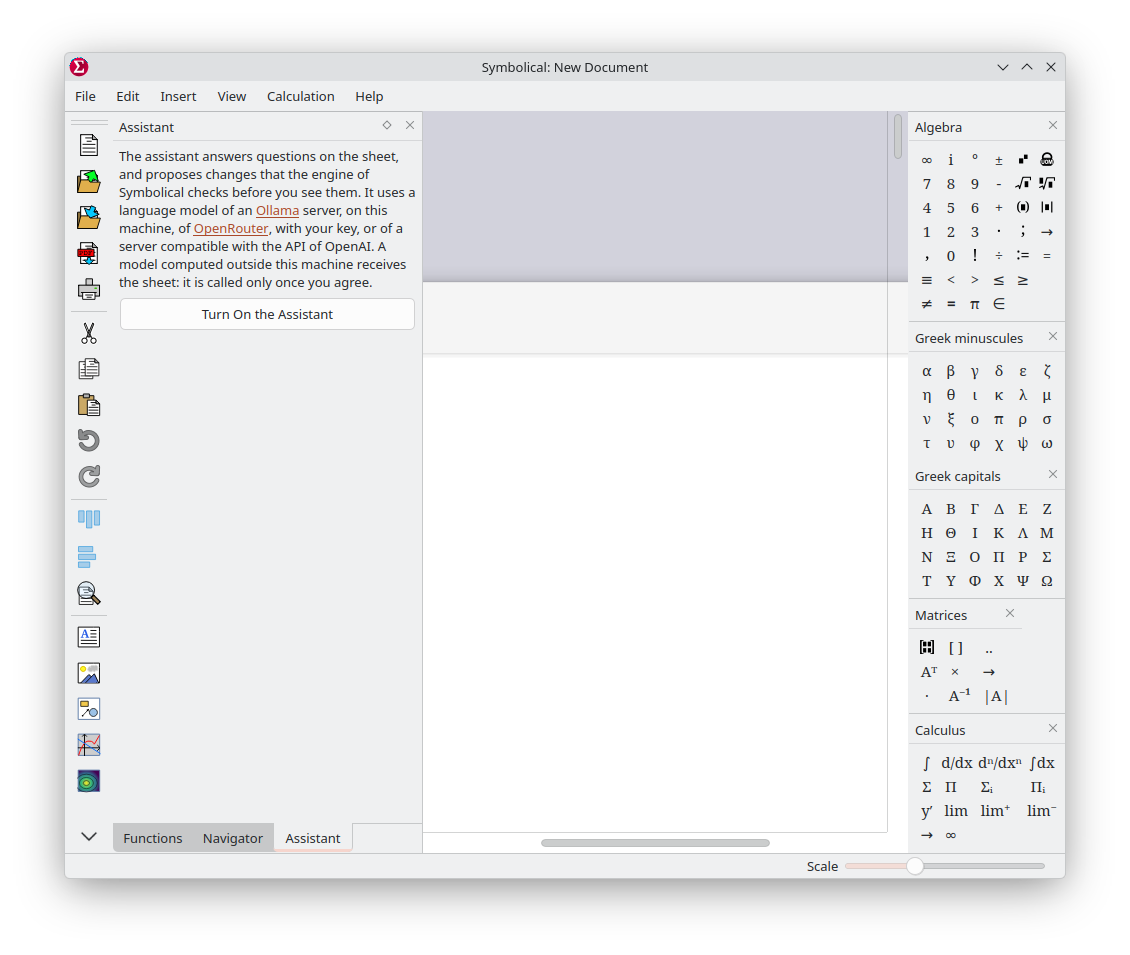
In the assistant dock click “Turn On the Assistant”.
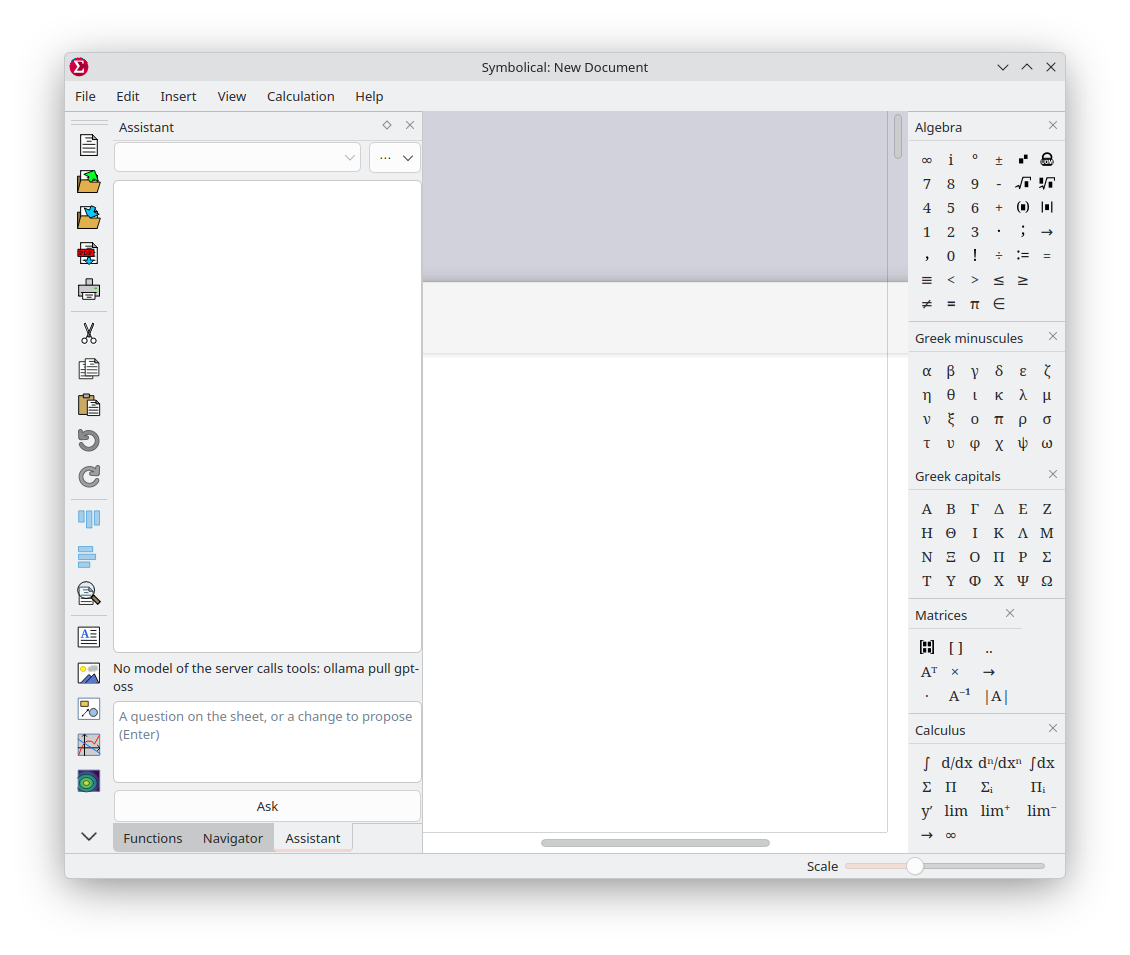
Then click the button with “…” and click “Provider…”:
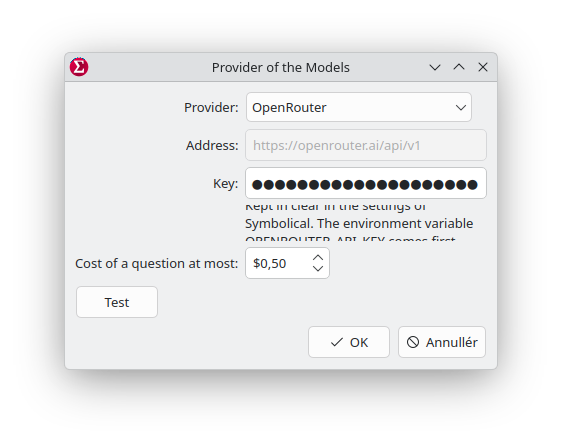
Now select OpenRouter in the provider dropdown menu and paste your key into the key field, then press “Ok”.
You should now have a list in the dropdown at the top on the Assistant dock with lots of AI models to choose from.