Using Functions
Function do a lot more than express a value based on an input. Functions also deliver a symbolical representation of their definition. This makes it possible to operate symbolically on functions. Lets try out something simple with this concept.
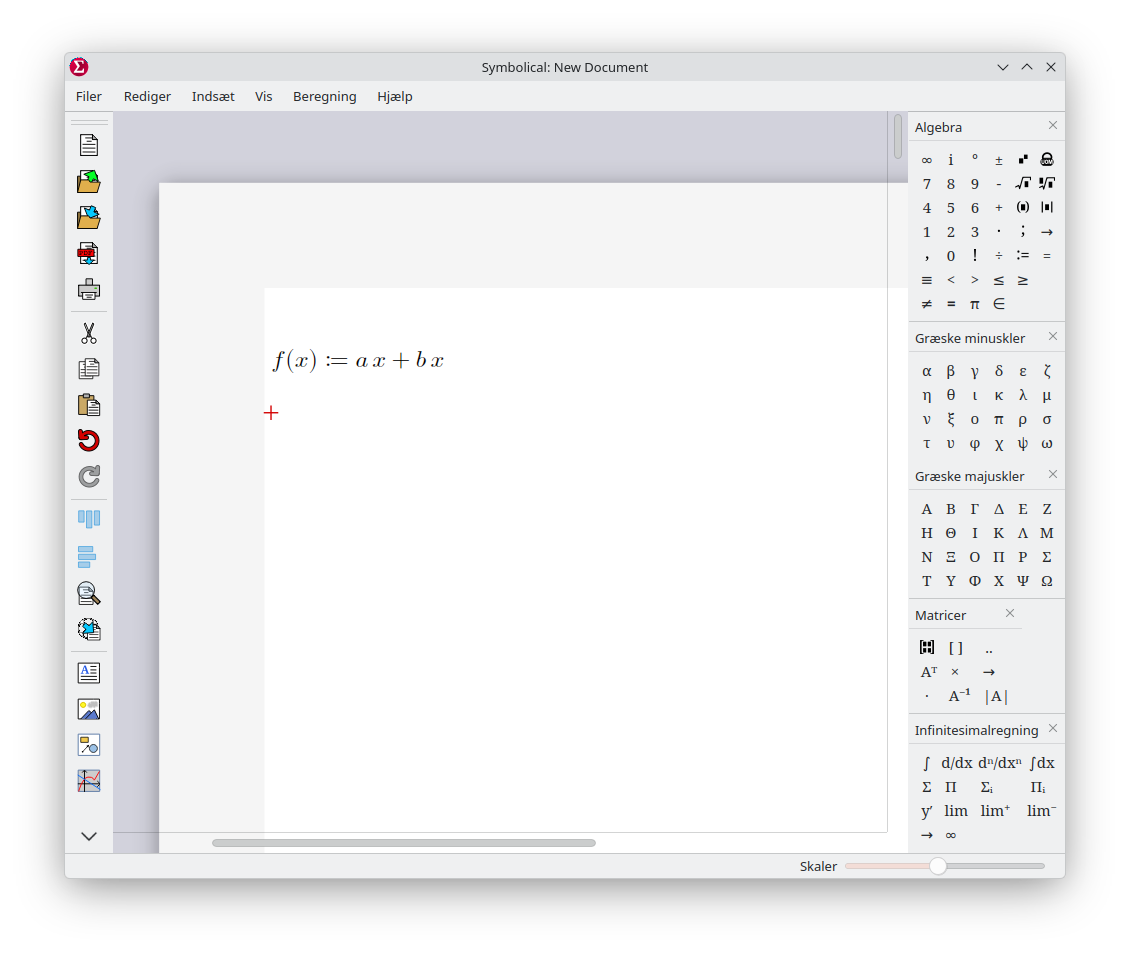
Create a new function \( f(x):= a \cdot x + b \cdot x\) as shown here:
Now make a new function \( g_f (x)\) and set it equals to this function and subtract \(b \cdot x\) from it.
Then press the ➜ button (Ctrl+.)
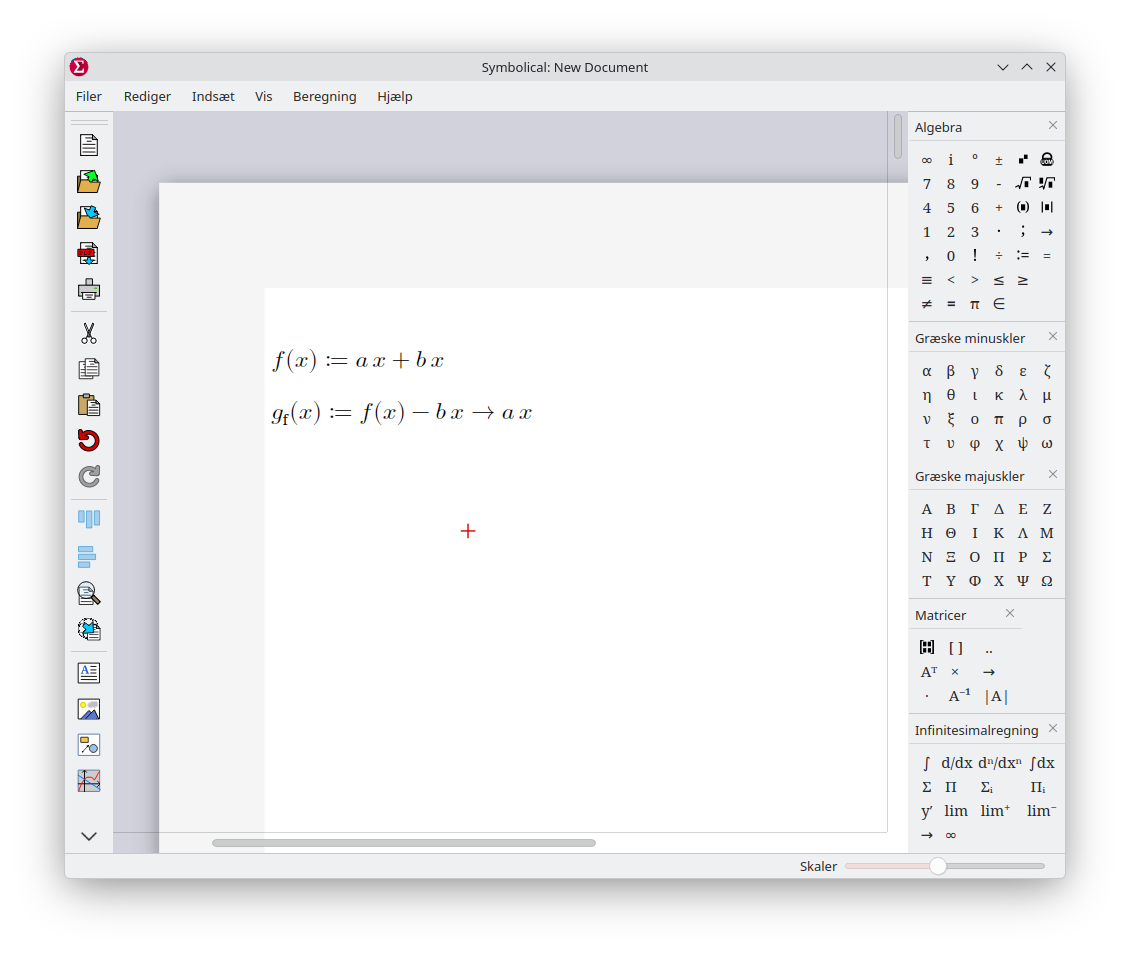
As can be seen the symbolical result is \(f(x) - b \cdot x \to a \cdot x\). That might seem trivial but this feature makes it possible to do quite advanced operations with Symbolical.
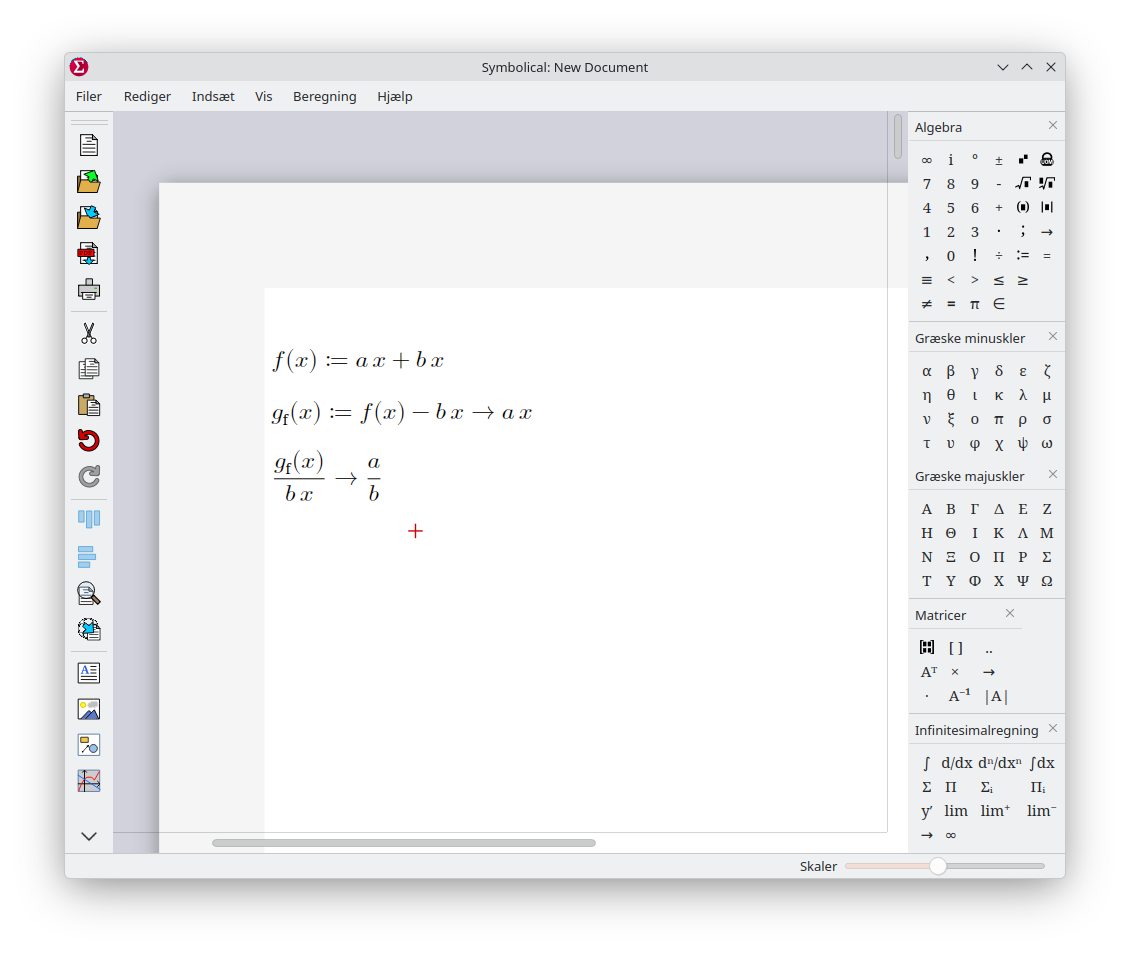
The result is passed on to \(g_f (x)\) and go on like that \(\frac{ g_f (x)}{b \cdot x} \to \frac{a}{b}\):
Functions also convey the units that are used. Lets try it out.
Lets define the initial conditions of a particle:
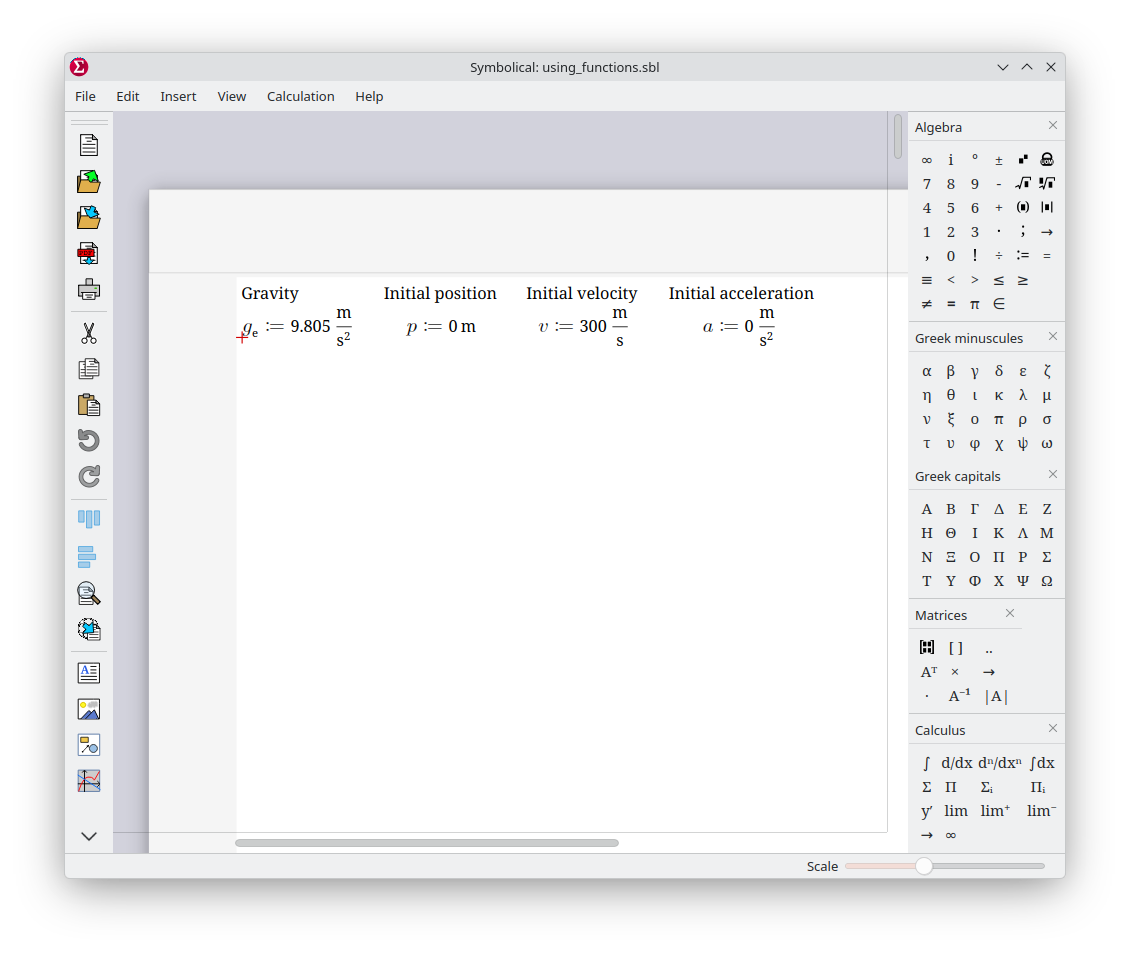
Now we can create a function that uses these variables:
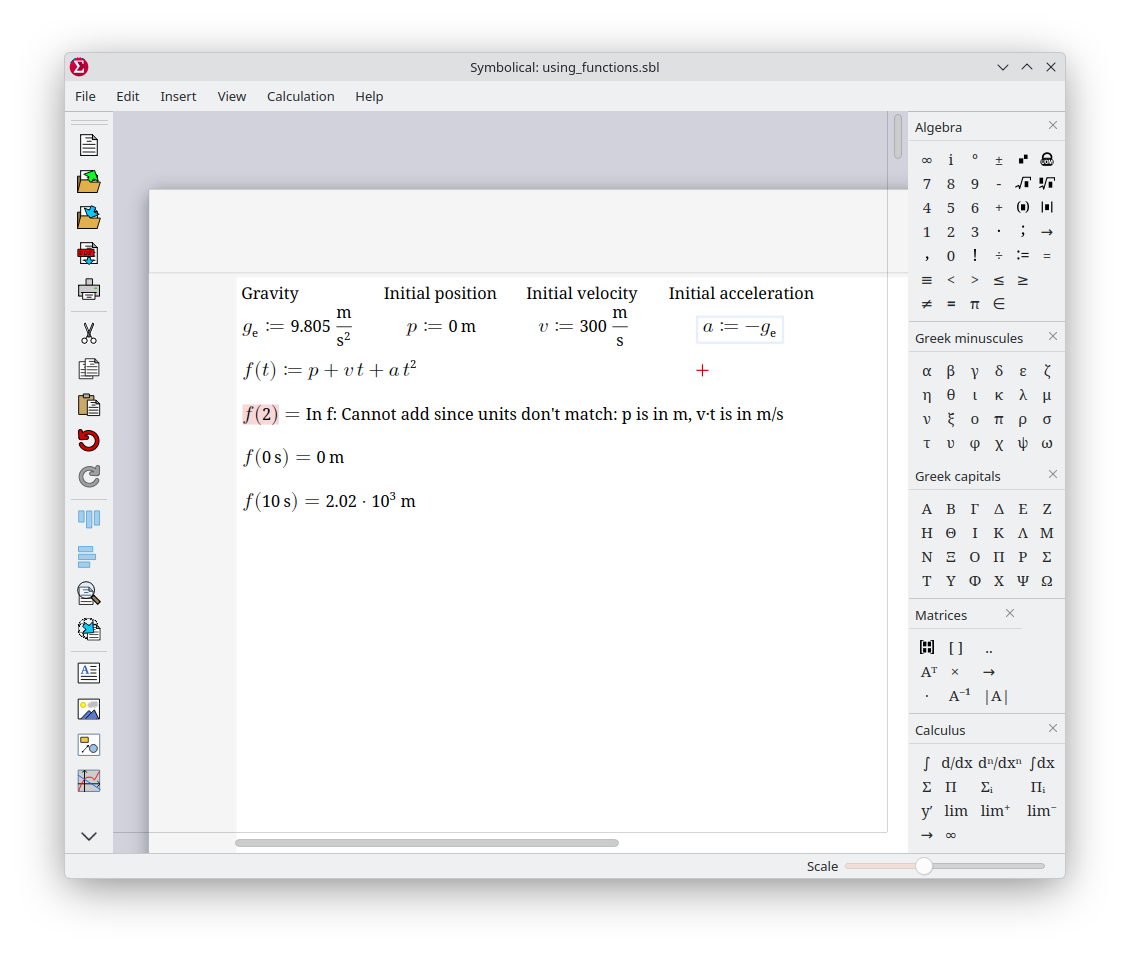
As can be seen from this, if you don´t insert a time value into the function, it will complain that the units don’t match. By inserting ten seconds into the function we can see that the particle is already more than 2km away by then. But Symbolical also handles the units as symbols, so if we take the derivative of this funtion we get:
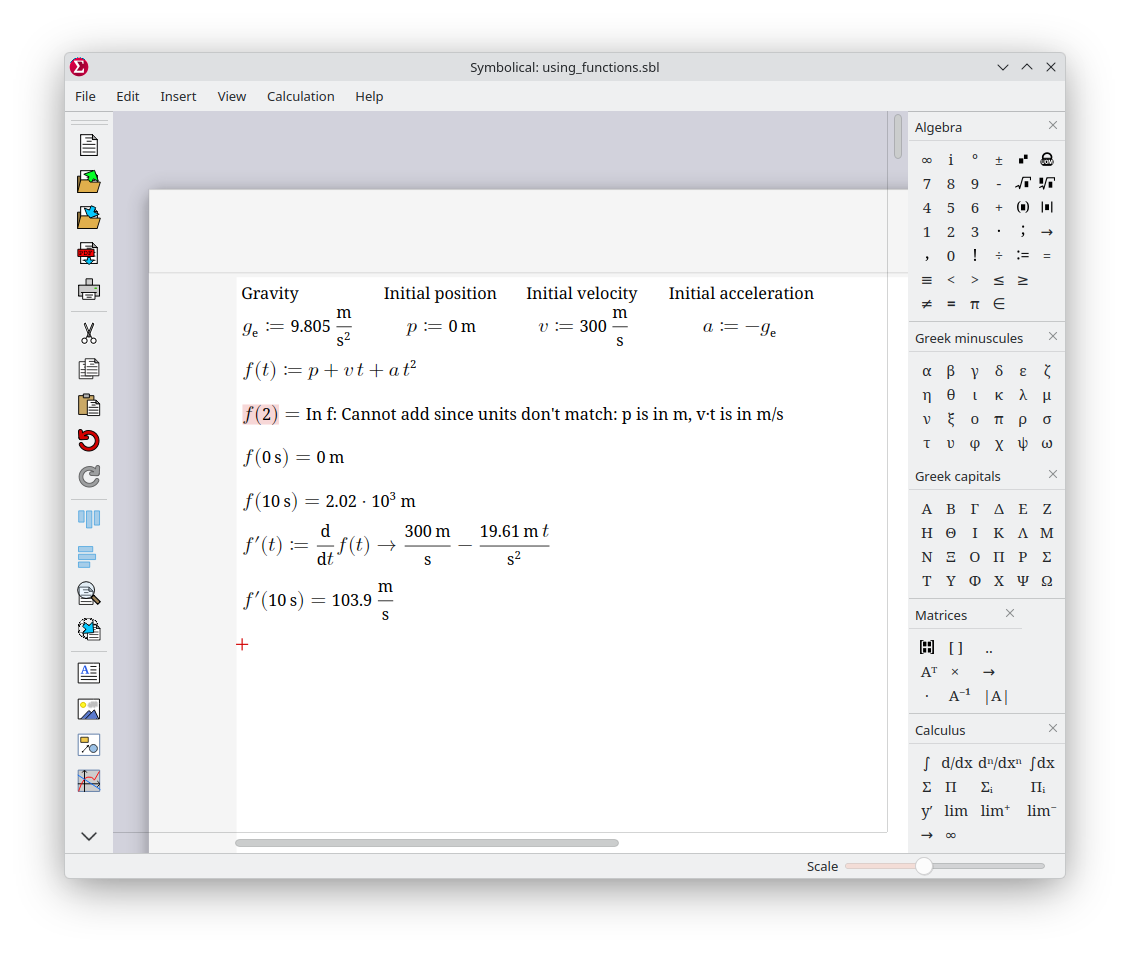
The speed of the particle is down to about 100\(\frac{m}{s}\) after 10 seconds.
This file can be downloaded here Functions.sbl
Please continue with Creating Plots